# Getting started
HTML: [altophp.com/font/getting-started](https://altophp.com/font/getting-started/)
Read a font's family and style, then check whether it contains the characters
in your text. This gives you a first check before using that font in an
application or preparing a subset.
Install the package as described in [Installation](https://altophp.com/font/installation.md). Put a
TrueType font at `fonts/Inter-Regular.ttf` beside your `vendor` directory, or
change the path below to your own font.
Save this as `inspect.php` and run `php inspect.php`:
```php
metadata();
printf("Family: %s\nStyle: %s\n", $metadata->family, $metadata->subfamily);
```
For Inter Regular, the output is:
```text
Family: Inter
Style: Regular
```
The values come from your font; ALTO Font does not download Inter for you.
Loading a font leaves the original file unchanged.
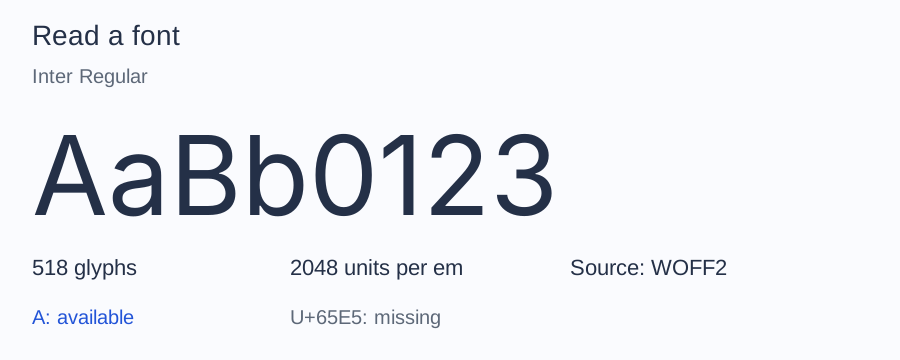
This is the bundled Inter Latin sample. Your file may contain a different
character set or glyph count. The illustration uses the bundled Inter Latin sample.
## Check whether the font contains your text
Add this to the same script:
```php
use Alto\Font\Subset\UnicodeSet;
foreach (UnicodeSet::fromText('Café') as $codepoint) {
printf(
"U+%04X: %s\n",
$codepoint,
null === $font->glyphIdForCodepoint($codepoint) ? 'missing' : 'available',
);
}
```
With the Inter Latin sample, the added block prints each distinct codepoint
in ascending order:
```text
U+0043: available
U+0061: available
U+0066: available
U+00E9: available
```
`missing` means the font has no character mapping for it. ALTO Font does not
select a replacement font. This checks character availability, not whether a
whole phrase will shape or render correctly.
## Continue with your font
Continue with [Read metadata](https://altophp.com/font/inspect/metadata.md) to inspect version, style, and
license fields. If file, face, or glyph terminology is unfamiliar, read
[Font concepts](https://altophp.com/font/fonts.md).
If loading fails, see [loading failures](https://altophp.com/font/inspect/font-files.md#when-a-font-will-not-load).
---
Previous: [Installation](https://altophp.com/font/installation.md)
Next: [Font concepts](https://altophp.com/font/fonts.md)
---
ALTO\FONT: [altophp.com/font](https://altophp.com/font/)
ALTO(PHP): [altophp.com](https://altophp.com/)