Themes
Alto Code Highlight includes seven theme families and twelve selectable variants. A theme maps semantic scopes to CSS classes and provides the stylesheet for those classes.
Built-in variants
| Family | Variant | Mode | Constructor |
|---|---|---|---|
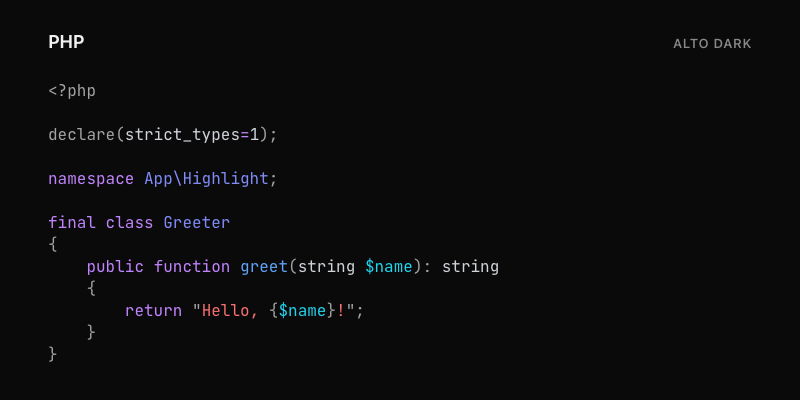
| Alto | Alto Dark | Dark | new AltoTheme() |
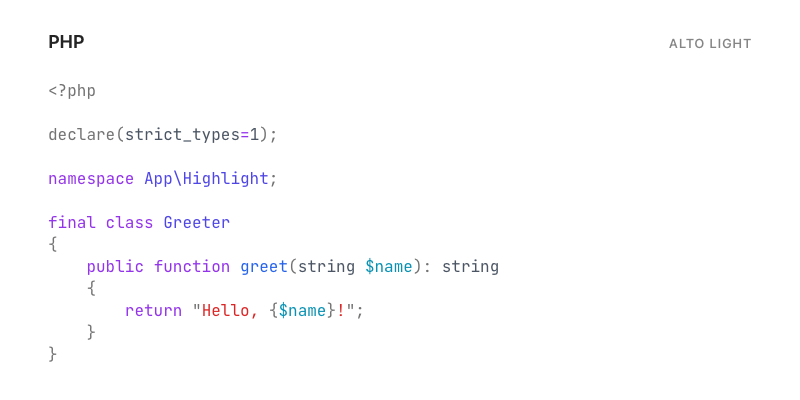
| Alto | Alto Light | Light | new AltoTheme(dark: false) |
| Cupertino | Cupertino Dark | Dark | new CupertinoTheme() |
| Cupertino | Cupertino Light | Light | new CupertinoTheme(dark: false) |
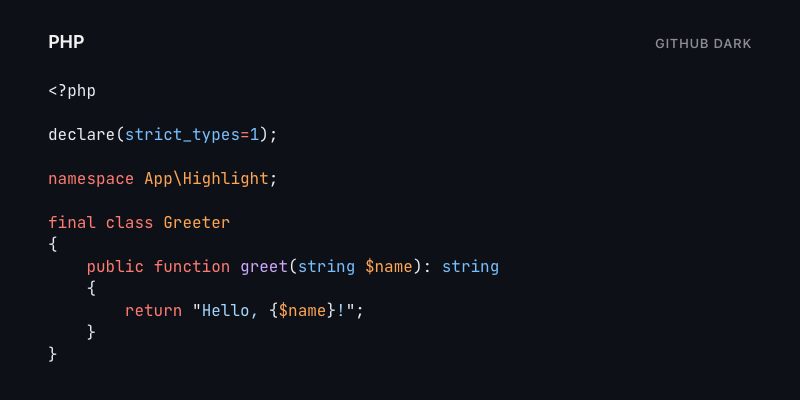
| GitHub | GitHub Dark | Dark | new GitHubTheme() |
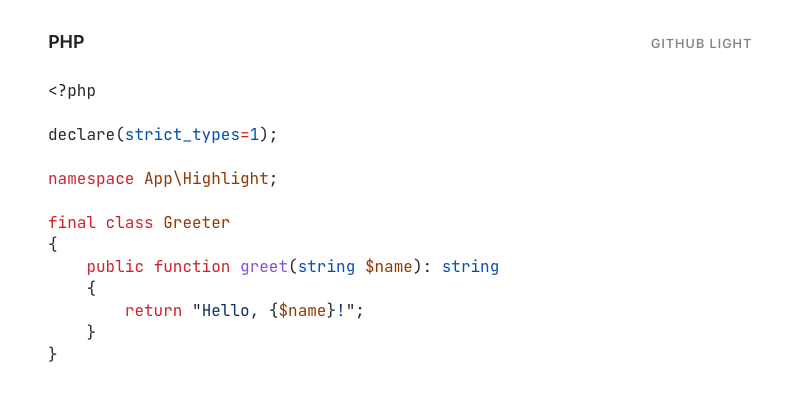
| GitHub | GitHub Light | Light | new GitHubTheme(dark: false) |
| Noctis | Noctis Dark | Dark | new NoctisTheme() |
| Noctis | Noctis Light | Light | new NoctisTheme(dark: false) |
| Solar | Solar Dark | Dark | new SolarTheme(dark: true) |
| Solar | Solar Light | Light | new SolarTheme() |
| Dracula | Dracula | Dark | new DraculaTheme() |
| Polar | Polar | Dark | new PolarTheme() |
Solar is the only dual-mode family whose constructor defaults to its light
variant. ThemeInterface::isDark() reports the selected mode.
Select and render a theme
<?php
use Alto\Code\Highlight\Highlighter;
use Alto\Code\Highlight\Theme\GitHubTheme;

$theme = new GitHubTheme(dark: false);
$highlighter = new Highlighter($theme);

$stylesheet = $theme->getStylesheet();
$codeBlock = $highlighter->highlight($code, 'php');
Place $stylesheet once in the document <head> or in an application CSS
asset. Then render any number of blocks with $codeBlock. The stylesheet
styles the shared .alto-highlight container and the theme's token classes.
To switch themes, select a theme before rendering:
<?php
use Alto\Code\Highlight\Theme\AltoTheme;

$dark = 'dark' === $requestedMode;
$theme = new AltoTheme(dark: $dark);
$highlighter = new Highlighter($theme);
Use a corresponding stylesheet and highlighter together. HTML generated with one theme can contain different token class names from HTML generated with another.
Featured comparison
The same PHP example rendered with the four primary documentation variants:
| Alto Dark | Alto Light |
|---|---|
 |
 |
| GitHub Dark | GitHub Light |
|---|---|
 |
 |
The full PHP, Twig, HTML, JavaScript, and CSS matrix is available in Examples.
Line numbers and selected lines
The highlighter emits structural alto-line-number and alto-highlighted
classes when those options are enabled. Built-in theme stylesheets do not
define their layout. Add application CSS for those classes as shown in
Getting started.
Other theme sources
- Use theme adapters for local Highlight.js, Prism, or TextMate theme files.
- Follow Creating a theme to implement
ThemeInterfacedirectly.