Getting started
Read a font's family and style, then check whether it contains the characters in your text. This gives you a first check before using that font in an application or preparing a subset.
Install the package as described in Installation. Put a
TrueType font at fonts/Inter-Regular.ttf beside your vendor directory, or
change the path below to your own font.
Save this as inspect.php and run php inspect.php:
<?php

require __DIR__.'/vendor/autoload.php';

use Alto\Font\Font;

$font = Font::fromFile(__DIR__.'/fonts/Inter-Regular.ttf');
$metadata = $font->metadata();

printf("Family: %s\nStyle: %s\n", $metadata->family, $metadata->subfamily);
For Inter Regular, the output is:
Family: Inter
Style: Regular
The values come from your font; ALTO Font does not download Inter for you. Loading a font leaves the original file unchanged.
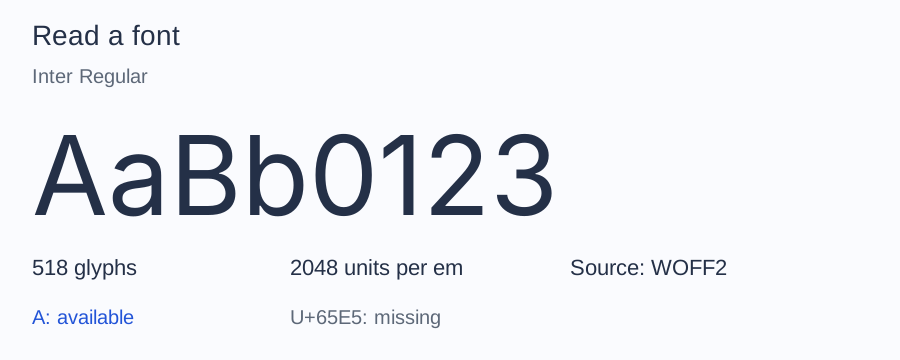
This is the bundled Inter Latin sample. Your file may contain a different character set or glyph count. The illustration uses the bundled Inter Latin sample.
Check whether the font contains your text
Add this to the same script:
<?php

use Alto\Font\Subset\UnicodeSet;

foreach (UnicodeSet::fromText('Café') as $codepoint) {
    printf(
        "U+%04X: %s\n",
        $codepoint,
        null === $font->glyphIdForCodepoint($codepoint) ? 'missing' : 'available',
    );
}
With the Inter Latin sample, the added block prints each distinct codepoint in ascending order:
U+0043: available
U+0061: available
U+0066: available
U+00E9: available
missing means the font has no character mapping for it. ALTO Font does not
select a replacement font. This checks character availability, not whether a
whole phrase will shape or render correctly.
Continue with your font
Continue with Read metadata to inspect version, style, and license fields. If file, face, or glyph terminology is unfamiliar, read Font concepts.
If loading fails, see loading failures.